
Uinto - Live Chat & Connect
Hamza MunirrLifestyle
0.00.00 Reviews
- Version
- 1.0.6
- Installs
- 10.00K
- Age Rating
- Teen
Screenshots
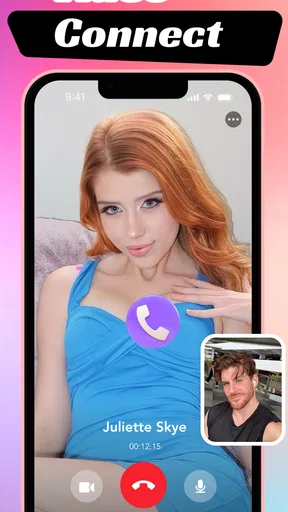
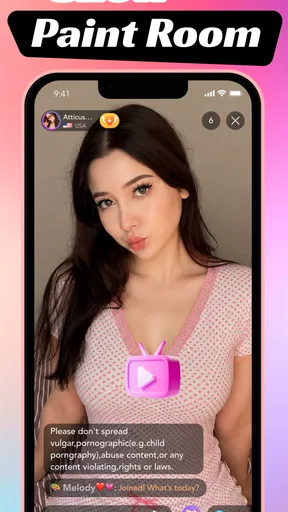
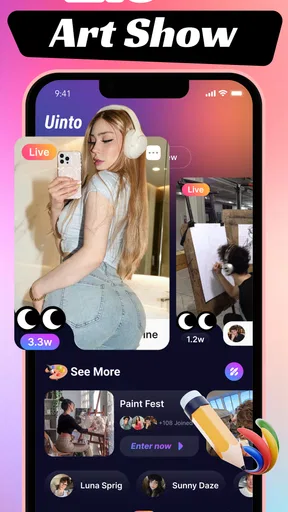
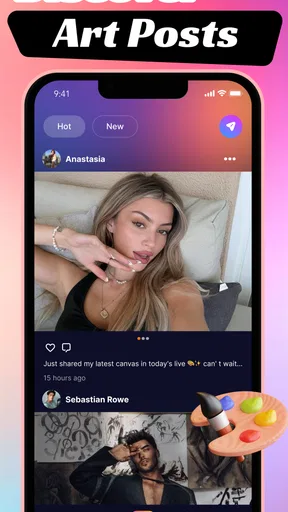
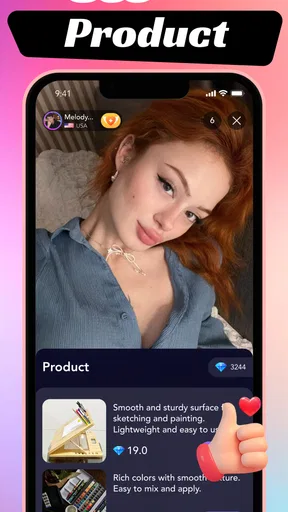
Our Review of Uinto - Live Chat & Connect
 Analysis by Appyee
Uinto - Live Chat & Connect is a small lifestyle app with an unusually broad promise: it brings painting, video, and sharing art into one place. After spending time with it, my main impression is that it is more interesting as a casual creative space than as a complete replacement for a dedicated drawing editor, video platform, or social network. Its appeal comes from keeping creative expression and sharing close together, but that same compact approach means users looking for deep tools or a highly polished community experience may want something more specialized.
The app is developed by Hamza Munirr and is available free of charge, with optional in-app purchases ranging from $0.99 to $99.99 per item. It sits in the Lifestyle category, carries a Teen content rating, and supports devices running Android 7.0 or later. The current release is version 1.0.6, while the app has reached over 10 thousand installs. Those details place it in the accessible, casual end of the mobile creativity market rather than among established professional art suites.
What using Uinto feels like in everyday creative work
The most useful way to understand Uinto is to think of it as a bridge between making something and showing it. Many drawing apps are built around the canvas and treat sharing as an export step. Many video or social apps focus on publishing and leave creation to a separate tool. Uinto’s identity is different: its central idea is that a piece of art can become something to share, discuss, or present rather than remaining a private file on a phone.
That makes it suitable for quick creative moments. I can imagine opening it while waiting for an appointment, sketching a loose idea, recording a short visual process, and then preparing that work for other people to see. It is not the kind of workflow I would choose for a carefully layered illustration that needs precise color management, advanced brushes, or a desktop-style editing pipeline. For spontaneous work, though, the combination is more convenient than switching repeatedly between a drawing app, a video editor, and a separate sharing service.
The app’s “Paint, Video, Share Art” focus also gives it a clearer purpose than the short store label might suggest. Uinto is not simply a generic chat utility. Its value depends on the relationship between visual creation and connection. If you enjoy showing unfinished ideas, discussing a sketch, or turning a simple drawing into a small visual post, the concept makes sense. If you only want private drawing tools, the social side may feel unnecessary.
Painting is most useful when the goal is momentum
For me, the strongest possible use of the painting side is speed. A mobile screen is naturally better for short bursts than for long, exacting sessions, and an app like this can be useful when the goal is to capture an idea before it disappears. A rough character pose, a color arrangement, a handwritten note turned into an image, or a visual response to a friend can all benefit from that low-pressure approach.
One practical habit is to treat the first drawing as a conversation starter rather than a finished artwork. Instead of spending too long polishing a small screen composition, I would make the idea readable, add enough visual personality to make it worth sharing, and then use the video or connection aspect to give it context. This avoids one of the common frustrations with mobile art: investing a lot of time in a canvas that is difficult to present afterward.
There is also a useful distinction between a creative app for practice and one for production. Uinto appears better suited to the former. Beginners can experiment without needing to understand a large professional interface, while casual artists can use it to keep a daily habit alive. The trade-off is that a simpler workflow usually cannot replace the control offered by dedicated illustration software. I would not choose it for detailed commissioned work, print preparation, or a project requiring a carefully organized archive of assets.
Video adds context, but it does not automatically make every post better
The video element is valuable because visual work often needs explanation. A static image may show the result, but a short clip can show how an idea developed, what detail matters, or why a rough sketch is worth discussing. For someone who enjoys documenting a creative process, this can make sharing feel more personal than uploading a finished image without any background.
My advice would be to use video selectively. A clip should answer a question that the image alone cannot answer: how the drawing changed, what inspired it, or what part of the process was challenging. Recording everything can create extra work without adding meaning. The best workflow is to make the artwork first, decide what viewers should notice, and then create a short visual explanation around that point.
This is one of the app’s less obvious strengths. The video function is not only a publishing format; it can help an artist think about presentation. That is useful for beginners who are still learning how to explain their choices. At the same time, users who already rely on a full video editor may find the in-app approach too limited for precise timing, layered sound, complex transitions, or detailed post-production. Uinto is more appealing when convenience matters more than editing depth.
Sharing art changes the app from a tool into a social routine
The sharing side is where the app’s lifestyle classification becomes easier to understand. Art can be a reason to connect with people who might not respond to a conventional status update. A drawing, a short process video, or a visual experiment gives a conversation something concrete to begin with. That can be especially useful for people who are more comfortable communicating through images than through long written messages.
A realistic everyday scenario would be a student who sketches a design idea during a break, records a brief look at the changes, and shares it with friends for reactions before developing it further. Another could be a hobby artist who posts a morning drawing as a low-pressure routine. In both cases, the benefit is not professional exposure; it is the reduced distance between making something and letting another person respond to it.
Still, sharing only feels rewarding when there is an audience willing to engage. A newer or smaller app may not provide the same immediate reach as a major social platform, and the install base of over 10 thousand suggests a more modest community scale. That is not automatically a flaw, but it affects expectations. I would join for the creative workflow first and treat community growth as a bonus, rather than assuming every post will receive quick attention.
Where the experience can become frustrating
The biggest limitation is the tension between breadth and depth. Combining painting, video, and art sharing sounds convenient, but each area has different needs. Painting benefits from precision, video benefits from control, and social sharing benefits from discovery, moderation, and a lively audience. A compact app can connect these activities, yet it may not satisfy users who expect each one to be as developed as a dedicated alternative.
That matters when choosing the app for a particular job. If I need a serious illustration workflow, I would rather use a specialized drawing application. If I need a polished short film, I would choose a dedicated editor. If my priority is reaching a large established audience, a major social network may be more practical. Uinto makes the most sense when I want these activities to sit together and I am willing to accept a lighter toolset in exchange for that simplicity.
The optional purchase range is another reason to pay attention during use. The app is free to start, which lowers the barrier for experimentation, but purchases from $0.99 to $99.99 per item create a very wide possible spending range. I would recommend checking what each purchase changes before committing, especially if you are installing it for a younger user. The Teen rating is also worth taking seriously: it is not an app I would casually hand to a child without considering whether its social and sharing elements fit the family’s expectations.
Version 1.0.6 suggests that the product is still at an early stage of its life compared with mature creative platforms. That can be positive for users who like trying developing apps and watching them evolve, but it can also mean that the experience may feel less settled than a long-established alternative. I would approach it with curiosity rather than expecting the refinement of a tool that has spent years building every edge case around professional workflows.
Small workflow choices that make it more useful
My first recommendation is to decide the purpose of a piece before opening the sharing tools. A drawing intended as a private experiment needs a different level of finish from one meant to start a conversation. This simple decision prevents wasted effort and helps keep the app enjoyable rather than turning every casual sketch into a miniature production.
Second, use the three parts of the app as stages rather than competing destinations. Start with a visual idea, add video only when movement or process improves understanding, and share when there is a clear reason for someone else to see it. This sequence is more effective than trying to use every function for every artwork. It also reveals whether Uinto genuinely fits your habits: if you never want to share or explain your work, the app’s central combination may not offer enough value.
Third, keep an external sense of organization for anything important. A social creative app is a convenient place to make and present work, but I would not rely on it as the only home for original ideas that matter to me. Saving important images or videos separately is a sensible habit, particularly for projects that may later move into a more advanced editor. This is not a criticism of one specific feature; it is a practical distinction between a sharing environment and a dependable long-term creative archive.
Finally, be deliberate about audience. A quick drawing shared with close contacts serves a different purpose from a public-facing portfolio piece. Uinto is likely to feel more rewarding when the viewer understands the casual, visual nature of the exchange. If you expect formal portfolio presentation, detailed feedback systems, or broad professional discovery, another service may be a better fit.
Who should try it, and who should skip it
I would recommend Uinto to casual artists, beginners, visual communicators, and people who enjoy turning small creative moments into something shareable. It may also suit someone who finds separate apps tiring: one for drawing, another for recording, and another for posting. The value is highest for users who care about the complete path from idea to interaction, not just the quality of the brush engine.
It is also a reasonable choice for someone testing whether a creative habit can fit into daily life. Because it is free to begin, the practical question is easy to answer through use: do you return to it, and does sharing make you more motivated to create? If the answer is yes, the combined format has done its job. If you only open it to make highly detailed art, you may quickly notice the advantages of a dedicated alternative.
I would skip it if my priorities were professional-grade control, extensive video production, a large established audience, or a strictly private workspace. I would also be cautious if I dislike in-app purchasing models or do not want a Teen-rated social environment. The free entry point is helpful, but it does not remove the need to consider spending and sharing habits.
In practical terms, the app is best understood as a creative companion rather than a full studio. That distinction keeps expectations realistic. It can encourage experimentation and make visual communication feel less fragmented, but it is unlikely to replace every specialized tool in an experienced creator’s collection.
My final take
After weighing the idea against its limitations, I see Uinto as a promising casual space for people who want to paint, add a visual element, and share art without constantly moving between unrelated apps. Its strongest quality is the connection between creation and conversation. That makes it more engaging than a private sketchpad for the right user, especially when the goal is to show progress or invite a response.
Its weakness is equally clear: combining several creative activities does not guarantee the depth of a specialist tool or the reach of a major social platform. I would not install it expecting a professional illustration suite, a complete video editor, or a guaranteed audience. I would install it to explore a lighter, more social way of making and presenting visual work.
My recommendation is simple: try it if sharing is part of why you create. The free starting point makes that experiment approachable, while the Teen rating and optional purchases mean it deserves thoughtful use rather than an automatic recommendation for everyone. For beginners and casual creators, Uinto can turn a quick sketch into a small social moment. For specialists, it is better treated as an extra creative outlet than as a replacement for the tools they already depend on.
Verdict
Strengths of Uinto - Live Chat & Connect
- Simple interface makes it easy to start conversations quickly.
- Live chat format encourages spontaneous, real-time interactions.
- Useful for meeting people beyond your existing social circle.
- Profile-based discovery helps you find users with shared interests.
- Available on mobile, making chats convenient while you are on the go.
Limitations of Uinto - Live Chat & Connect
- The quality of conversations can vary significantly between users.
- Some features may require in-app purchases or a subscription.
- Public chat environments may expose users to unwanted messages.
- A stable internet connection is needed for smooth live interactions.
- New users may need time to build meaningful connections.
Similar Picks in This Category
View All
SmartThings
Samsung Electronics Co., Ltd.4.6

Google Home
Google LLC4.0

Pinterest4.2

Astrotalk - Talk to Astrologer
Astrology & Horoscope4.7

My Verizon
Verizon Consumer Group4.5

Samsung Wallet (Samsung Pay)
Samsung Electronics Co., Ltd.4.1
Frequently Asked Questions
What is Uinto - Live Chat & Connect, and how does it work?
Uinto - Live Chat & Connect is a social communication app designed for meeting people, starting conversations, and building new connections through live chat features. After creating a profile, you can browse available users, send messages, and interact with people who share similar interests. The experience is focused on real-time communication, although the exact features available may depend on your location, account status, and the current version of the app.
Is Uinto - Live Chat & Connect free to download and use?
The app may be free to download, but some communication tools or premium functions can require in-app purchases, subscriptions, or virtual credits. Before using paid features, check the pricing information shown in the app store and inside Uinto. It is also important to review whether subscriptions renew automatically and how cancellation works. Free access may be enough for basic browsing, while more frequent chatting could involve additional costs.
Do I need to create an account to use Uinto?
In most cases, a social chat platform such as Uinto requires an account so it can manage your profile, conversations, preferences, and safety settings. Registration may involve an email address, phone number, or another supported sign-in method. You should provide only information you are comfortable sharing and read the privacy policy before completing setup. A well-prepared profile can also make it easier for other users to understand your interests.
Is Uinto - Live Chat & Connect safe for meeting and chatting with strangers?
Uinto may include tools intended to support safer communication, but no social app can guarantee that every user is genuine or trustworthy. Avoid sharing your home address, financial details, passwords, identity documents, or private images with people you have just met. Use blocking and reporting options when needed, keep conversations inside the app at first, and be cautious of users who request money or pressure you to move quickly to another platform.
What devices and permissions does Uinto support?
Uinto - Live Chat & Connect is intended for mobile users and availability can vary between Android and iOS, depending on the current release and your region. The app may request permissions for notifications, photos, camera, microphone, or location if those tools are used for profiles and communication. You can review or change permissions through your device settings. For the best experience, install updates regularly and use a stable internet connection.
